
Holiday Scams 2026: How to Shop, Travel and Set Up New Gifts Safely
· VPNSoEasy Staff
The holiday season is the busiest time of year for online shopping, travel and new gadgets, and scammers plan for it. Fake delivery texts, copycat stores and “your account is locked” emails all spike between Black Friday and New Year’s. This guide covers the holiday scams that show up every year and the simple habits that shut them down, whether you’re shopping from the couch, logging in from an airport or setting up a new smart speaker.
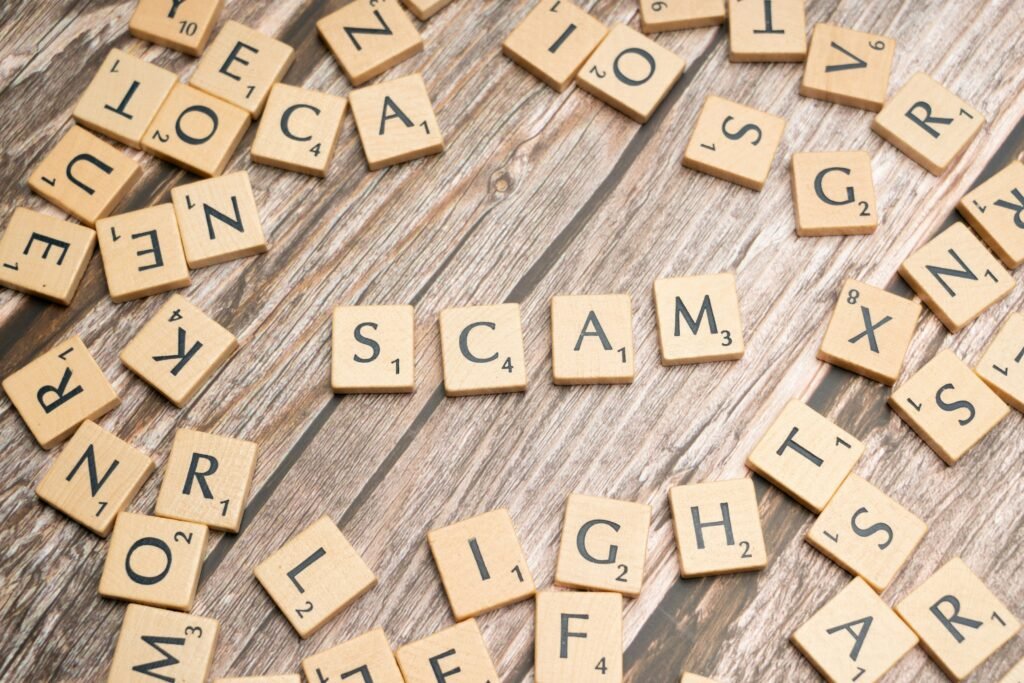
1. Shop safely: spot holiday scams before you click
Fake delivery texts
The most common holiday scam is a text or email saying a package couldn’t be delivered, with a link to “confirm your address” or pay a small redelivery fee. The link goes to a fake page that collects your card number. Carriers don’t charge surprise fees by text. Track packages by opening the retailer’s or carrier’s app, or by typing the tracking number into their real website yourself.
Too-good-to-be-true deals
Scam stores copy real brands, buy ads on social media and sell popular gifts at impossible prices. Before you buy from a shop you haven’t used:
- Check the address bar: look for misspellings, extra words or odd endings on the domain.
- Search the store’s name plus “scam” or “reviews”.
- Look for a real return policy and contact details.
- Pay with a credit card or a payment service with buyer protection, never a wire transfer, gift card or crypto.
Account and payment alerts
“Your order is on hold” and “suspicious activity on your account” messages try to rush you into signing in on a fake page. Open the app or site directly instead of tapping the link. A VPN doesn’t protect you here: if you type your password into a fake page, the scammer gets it. Learn the warning signs in our guide to spotting phishing scams.
Ad tracking
Look at one gift and you’ll see it in ads for weeks. That’s tracking scripts building a profile of your shopping. A tracker blocker such as Privacy Badger cuts much of it down.
Gift card scams
No legitimate business, government agency or relative in trouble asks to be paid in gift cards. If someone does, it’s a scam. When buying gift cards as presents, buy them from behind the counter or online from the issuer, and check that the packaging hasn’t been tampered with.
2. Travel safely: public Wi-Fi at airports and hotels
Airport, hotel and café Wi-Fi is shared with strangers, and some networks are set up by attackers with names like “Free Airport WiFi”. On those networks, whoever runs the network can see which sites you visit and can try to redirect you to fake pages.
- Confirm the network name with staff or signs before joining.
- Turn off auto-join for open networks on your phone and laptop.
- Use a VPN whenever you’re on a network you don’t control. It encrypts your traffic between your device and the VPN server, so the network sees only an encrypted connection. It’s worth turning on before you check your bank or work email from a hotel lobby.
- Use your phone’s hotspot for anything sensitive if you don’t have a VPN.
- Avoid public USB charging ports; carry your own charger and plug into a wall outlet.
More travel tips: cybersecurity tips for travelers and digital nomads and staying secure while working remotely.
3. Streaming and subscriptions: watch the fake renewals
Holidays mean movie nights, and scammers send look-alike emails saying your streaming or shopping membership failed to renew. They link to a fake payment page. Check your subscription status in the official app, never from an email link. While you’re there, turn on two-factor authentication and remove devices you don’t recognize from your account.
4. New gadgets: secure them before you plug them in
Smart cameras, speakers, doorbells and TVs make great gifts, but they often arrive with weak default settings. Before a new device joins your Wi-Fi:
- Change the default password, or create the account with a unique password from your password manager.
- Turn on two-factor authentication in the companion app.
- Install firmware updates and enable automatic updates.
- Put it on your router’s guest or IoT network if you have one.
Our smart home security checklist covers router settings and every device type, and our rundown of the top five IoT threats explains what you’re defending against.
If you get scammed
Call your card issuer or bank right away to dispute the charge and replace the card. Change the password on any account you signed in to from a scam link, and report the scam at ReportFraud.ftc.gov.
A quick holiday checklist
- Track packages in the carrier’s or retailer’s app, never from text links.
- Pay with a credit card and buy from stores you can verify.
- Turn on transaction alerts for every card you’ll use.
- Use a VPN on airport, hotel and café Wi-Fi.
- Secure new gadgets before they join your network.
Enjoy the season. A few habits are all it takes to keep scammers out of it.
Traveling this season? VPNSoEasy is one WireGuard® VPN plan at $5 a month, month to month, covering up to 10 devices, so the whole family’s phones and laptops are covered on hotel and airport Wi-Fi.